Contents (10 sections)
The smart home market has exploded over the past few years, offering a staggering array of devices designed to enhance comfort, convenience, and security in our homes. However, with so many options available, it can be quite overwhelming. This guide is intended to help you effectively compare smart home devices based on your individual requirements and preferences, ensuring you make an informed, satisfactory choice.
Understanding Smart Home Devices
What are Smart Home Devices?
Smart home devices refer to a range of internet-connected gadgets that allow homeowners to manage and control functions such as lighting, security, thermostat settings, and more, often remotely via smartphones or dedicated hubs. The importance of these devices lies not only in their convenience but also in their ability to contribute to energy efficiency, improve security, and enhance overall quality of life. Statistics show that nearly 30% of UK homes now utilise at least one form of smart technology, and this figure continues to rise steeply.
Why Compare Devices?
Before diving into product options, it’s crucial to understand what your specific needs are. Not all smart devices are created equal, and features may vary widely between products and brands. Factors such as compatibility with existing devices, ease of installation, and the user interface can significantly influence your experience. By comparing devices, you can determine which ones truly meet your needs and provide the best value for money.
Step-by-Step Guide to Comparing Smart Home Devices
To ensure you make an informed decision, follow these steps when comparing smart home devices:
- Identify Your Needs: What do you want to achieve with a smart home device? Is it enhanced security, energy efficiency, or convenience?
- Research Available Options: Take stock of different types of devices available in the market. Make a list of features that attract you.
- Read Reviews: Look for first-hand experiences from other users to learn about the pros and cons of various models.
- Consider Compatibility: Ensure that new devices can seamlessly connect with your existing smart home ecosystem—this includes checking app compatibility and wireless communication standards.
- Evaluate Pricing and Warranty: Compare prices, keeping an eye out for warranty offers or packages that may offer better value.
By following these steps, you are likely to make a more educated decision that aligns with your specific circumstances.
Comparative Analysis of Smart Home Devices
Here is a markdown comparison table of several types of smart home devices to illustrate key features:
| Feature | Smart Lock | Smart Thermostat | Smart Light Bulb | Smart Security Camera |
|---|---|---|---|---|
| Connectivity Type | Wi-Fi/Bluetooth | Wi-Fi | Zigbee/Wi-Fi | Wi-Fi |
| Compatibility | Alexa, Google Home | Alexa, Google Home, Apple HomeKit | Alexa, Google Home | Alexa, Google Home |
| User Interface | App/Keypad | App/Voice | App/Voice | App |
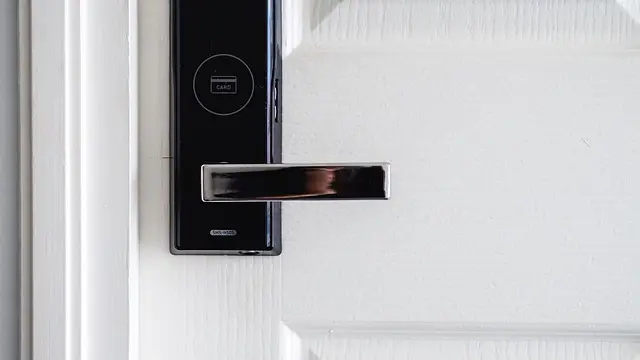
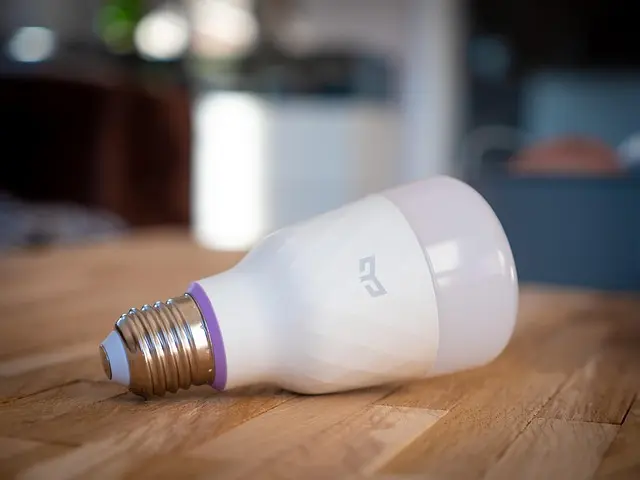
| Key Features | Auto-lock, User permissions | Temperature scheduling, Energy tracking | Colour changing, Dimming options | Night vision, Motion detection |
| Verdict | Excellent for security-focused users. | Ideal for those looking to enhance energy efficiency. | Great for mood lighting and flexibility. | Perfect for comprehensive home surveillance. |
Analysis of Trends in Smart Home Devices
The smart home industry has witnessed significant growth, with market research indicating that it could reach a value of over £100 billion by 2026. According to the International Data Corporation (IDC), the demand for smart home devices will increase by approximately 25% annually. This growth underscores the increasing reliance on technology to simplify home management and enhance safety.
Frequently Asked Questions (FAQ)
Q1: Are smart home devices easy to install?
A1: Many smart home devices offer DIY installation, but complexity varies. Some may require a professional installation, particularly for security systems.
Q2: How do I ensure device compatibility?
A2: Always check product specifications for compatibility with your existing systems, such as smart hubs or voice assistants.
Q3: Can I control smart devices remotely?
A3: Yes, most smart home devices allow remote control via mobile apps, enabling users to monitor and manage settings from anywhere.
Q4: Are smart home devices secure?
A4: While most manufacturers implement security measures, users should also adopt best practices, such as regularly changing passwords.
Glossary
| Terme | Définition |
|---|---|
| Smart Hub | Un appareil central qui connecte divers appareils intelligents pour une gestion unifiée. |
| Zigbee | Un protocole de communication sans fil, souvent utilisé pour les appareils connectés. |
| IoT (Internet of Things) | Réseau d'appareils physiques intégrant des capteurs connectés à Internet pour échanger des données. |
- [ ] Définir mes besoins spécifiques.
- [ ] Rechercher les options de produits disponibles.
- [ ] Lire des avis d'utilisateurs vérifiés.
- [ ] Vérifier la compatibilité avec mes appareils actuels.
- [ ] Comparer les prix et options de garantie.
💡 Avis d'expert: Lorsque vous envisagez l'achat d'appareils intelligents, il est judicieux de vérifier les mises à jour régulières proposées par les fabricants. Les appareils qui reçoivent d'importantes mises à jour de sécurité sont souvent plus fiables à long terme.
Nous avons sélectionné plusieurs produits adaptés à vos besoins. Découvrez nos recommandations ci-dessous !
📺 Ressource Vidéo
Pour aller plus loin : Découvrez comment choisir les meilleurs appareils pour votre maison intelligente, une analyse complète de ce sujet. Recherchez sur YouTube : "comment choisir un appareil intelligent 2026".
📺 Pour aller plus loin : how to choose smart home devices 2026 sur YouTube
Recommended products
Selected by our experts

ASUS ZenWiFi XD6 2-pack Dual-band (2.4 GHz / 5 GHz) Wi-Fi 6 (802.11ax) White 4 Internal
Quzo UK

ASUS TUF Gaming AX3000 V2 wireless router Gigabit Ethernet Dual-band (2.4 GHz / 5 GHz) Black Orange
Quzo UK