Contents (9 sections)
In an era where technology seamlessly blends into our daily lives, smart home devices have become essential tools for enhancing convenience, security, and energy efficiency in our homes. With an overwhelming array of options available, selecting the right devices tailored to your specific needs can be daunting. This comprehensive guide will take you through the process of identifying and choosing the best smart home devices suited for your lifestyle.
1. Understand Your Goals and Needs
Before diving into the world of smart home technology, take a moment to assess your lifestyle and determine what you hope to achieve with these devices. Are you looking to enhance security, improve energy efficiency, or simply enjoy the convenience of automation?
- Security Needs: If safety is a priority, consider adding smart cameras, doorbells, and security systems that can be monitored remotely via your smartphone. These devices often come with features like motion detection, night vision, and real-time alerts.
- Energy Efficiency: If reducing utility bills is your goal, smart thermostats can help you manage your heating and cooling more efficiently. Additionally, smart plugs can track energy consumption and allow you to schedule when devices are powered on or off.
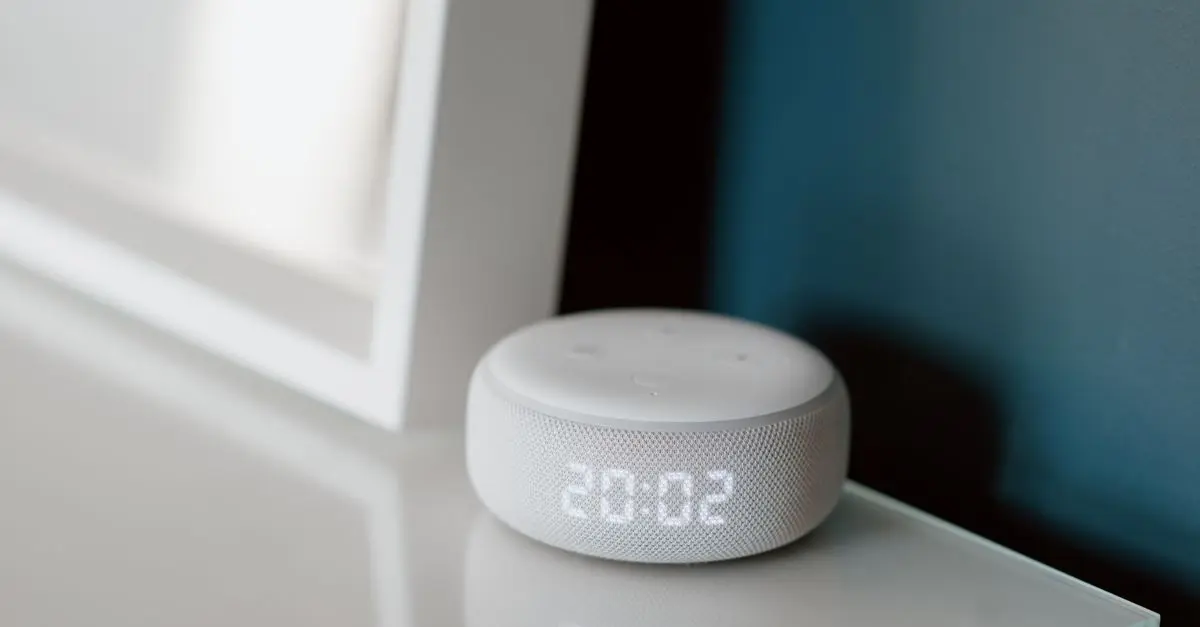
- Convenience: For those seeking to simplify daily routines, devices like smart speakers, lights, and appliances that integrate with voice assistants can enhance your home’s functionality, allowing for easy voice control and automation of tasks.
Taking the time to identify these primary goals will help narrow down your options and guide you towards solutions that genuinely fit your lifestyle.
2. Assess Compatibility with Existing Systems
Once you've established your goals, it is vital to assess the compatibility of potential smart home devices with your existing systems. Many smart home devices utilise specific communication protocols, such as Wi-Fi, Zigbee, or Z-Wave. Ensuring that the devices you select are compatible can save you a great deal of hassle down the road.
- Ecosystem Consideration: If you're already using devices from a dominant ecosystem (like Amazon Alexa, Google Assistant, or Apple HomeKit), prioritise devices that work seamlessly within that ecosystem for enhanced functionality.
- Hub Requirement: Some smart devices require a hub to function effectively. For example, certain light bulbs and sensors might need a dedicated hub to connect with your network. Ensure that you check whether your new devices come with their own hub or can integrate with your current setup.
3. Research and Compare Various Options
With thousands of products on the market, research is crucial in making informed decisions. Consider diving into product reviews, expert opinions, and user testimonials to gauge performance and reliability.
- Expert Reviews: Websites like UFC-Que Choisir and Les Numériques regularly publish comprehensive testing results, which can guide you in making educated choices.
- User Feedback: Platforms like Amazon provide user reviews that can offer invaluable insights into real-world experiences with specific devices, helping to identify common issues or praises.
- Comparative Analysis: Comparing multiple products side by side will allow you to weigh the pros and cons effectively. For instance, use a comparison table that outlines features like price, compatibility, and user ratings.
| Feature | Device A | Device B | Device C | Verdict |
|---|---|---|---|---|
| Compatibility | Alexa, Google | Only Alexa | Multiple | Device C is the most versatile |
| User Rating | 4.5/5 | 4.0/5 | 4.3/5 | Highest rated is Device A |
| Hub Required | Yes | No | Yes | Device B does not require a hub |
| Price | £50 | £30 | £70 | Best value is Device B |
As with any smart technology, security is paramount. Smart home devices can inadvertently become entry points for cyberattacks if not properly secured. Therefore, prioritising security in your selections is a must.
- Encryption: Ensure that the smart home devices you choose have robust encryption protocols. This will protect your personal data from unauthorised access.
- Regular Updates: Opt for devices from manufacturers that provide regular software updates. This helps patch vulnerabilities in the devices and ensures that they remain secure under evolving threats.
- Personal Data Handling: Review how manufacturers handle personal data. Are they transparent about data collection and usage? Are there options to disable certain features?
It’s also essential to read the manufacturer's privacy policy before purchasing, to understand how your data will be managed post-purchase.
5. Budget Considerations
Establishing a budget is crucial to ensure you don’t overspend while still acquiring quality devices. Smart home devices can vary greatly in price, with premium options offering advanced features but at a higher cost.
- Cost vs. Value: Assess what features are critical to you and explore models within your price range. In some cases, a cheaper device may adequately meet your needs without the bells and whistles of higher-priced alternatives.
- Long-term Savings: Consider devices that offer long-term savings potential. Investing in smart thermostats or energy-efficient lighting, for example, can lower your utility bills, thus recouping your initial investment over time.
- Buying in Bulk: If you plan to install multiple devices, look for bundle deals or discounts for purchasing multiple items at once. This can lead to significant savings.
Checklist Before Buying Smart Home Devices
- [ ] Define your primary goal (security, convenience, efficiency).
- [ ] Check compatibility with your existing smart home systems.
- [ ] Research and compare products and reviews.
- [ ] Assess the security features of the devices.
- [ ] Consider how the devices will impact your budget long-term.
💡 Expert Tip: Start with one or two smart devices and gradually expand your setup. This allows you to adapt and learn as you go.
📺 Resource Vidéo
> 📺 For more insights: *Check out our analysis on
À lire aussi
Recommended products
Selected by our experts

Fysic Ultrasonic Air Humidifier uses Ultrasonic Cooling Vapour Technology / Aroma Fragrance - White
Boxed2me

Nedis Smartlife Zigbee Garage Door Switch, Compact Built-In Module for Remote Control and Voice Commands, Compatible with Amazon Alexa and Google Home
Boxed2me

Lenovo V14 G4 ABP AMD Ryzen 5 7430U Laptop 14" 8GB RAM 512 GB SSD Windows 11 Home Laptop
box.co.uk

Smart app wifi Infrared ir remote control air conditioner home devices universal remote controller
Alibaba UK