Contents (14 sections)
Smart home devices have revolutionised the way we interact with our living environments. They offer convenience, security, and energy efficiency, making them an essential part of modern living. However, with so many options on the market, choosing the right devices can be daunting. This guide will help you navigate the complexities of smart home technology and find the best solutions tailored to your lifestyle.
Understanding Smart Home Devices
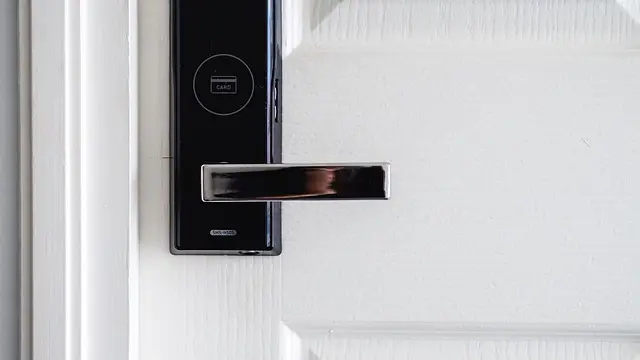
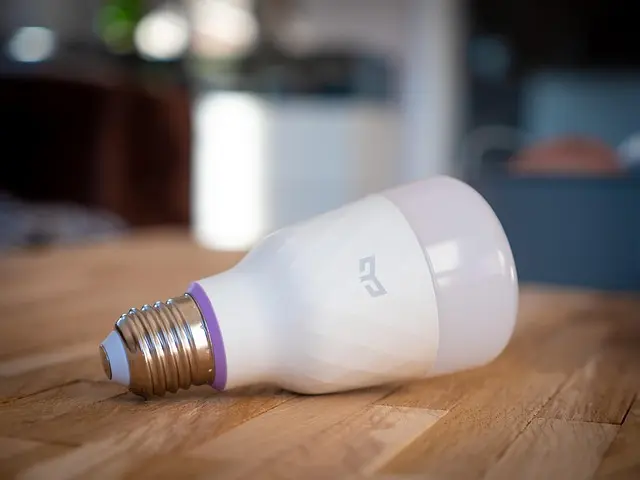
Smart home devices refer to a wide range of technologies that connect to your home network and can be controlled remotely. These can include lighting systems, security cameras, thermostats, and appliances. According to a report from Statista, the global smart home market is projected to reach £151 billion by 2026, underlining the growing importance and integration of these technologies in our lives.
The appeal of smart home devices lies in their ability to enhance comfort and efficiency in everyday tasks. For instance, smart thermostats learn your heating preferences, allowing them to optimise energy use, while smart lighting can create the perfect ambiance for any occasion. With advancements in IoT (Internet of Things), these devices communicate with each other to create a cohesive smart home ecosystem, leading to increased convenience and security.
Step-by-Step Guide to Choosing Smart Home Devices
Step 1: Define Your Needs
Before purchasing any devices, it's crucial to assess your personal needs and lifestyle. Consider the specific functions you want your devices to perform. Are you primarily interested in security, comfort, or energy savings? For example, if enhancing home security is a priority, you might start with smart cameras and motion sensors. Conversely, if you're looking to increase energy efficiency, smart thermostats or lighting systems should be at the top of your list.
Tips:
- Create a list of essential features you want in your devices.
- Think about how these devices will integrate into your daily routine.
Step 2: Research Compatibility
Not all smart home devices are compatible with each other. Compatibility with existing devices and systems is essential for a seamless experience. Many manufacturers create their ecosystems of devices, often limiting your options. Devices that work with platforms like Amazon Alexa, Google Assistant, or Apple HomeKit offer greater flexibility as they can integrate with a more comprehensive range of products from various brands.
Common pitfalls:
- Avoid being drawn in by a brand without checking compatibility with your current devices.
- Ensure that your wireless network is robust enough to support multiple devices, especially in larger homes.
Step 3: Evaluate Security Features
Security is a paramount consideration when investing in smart home technology. Look for devices that offer robust encryption and security protocols to protect your personal data. Features such as two-factor authentication, regular software updates, and the ability to disable remote access can enhance security. According to a 2024 report by UFC-Que Choisir, over 80% of smart home users expressed concerns about security vulnerabilities; thus, prioritising safety when selecting devices is vital.
Recommendations:
- Invest in devices from reputable brands known for strong security practices.
- Regularly update the firmware of your devices to patch potential vulnerabilities.
Step 4: Assess User Experience and Reviews
Gathering insights from other users can be invaluable. Look for user reviews and ratings of smart home devices online. Websites like Les Numériques provide in-depth reviews and comparisons to help you make informed choices. Pay attention to the installation process, the ease of use of mobile apps, and customer support options available should you encounter any issues.
Advice:
- Consider platforms that allow you to view multiple user reviews to gauge overall satisfaction accurately.
- Choose devices with highly-rated customer service options in case you need help post-purchase.
Step 5: Budget Accordingly
The costs associated with smart home devices can vary significantly. Determine your budget and factor in not only the upfront purchase price but also ongoing costs, such as subscription fees for additional features or services. For example, many smart cameras require a subscription for cloud storage. Look for products that offer the best value for money based on features offered versus price.
Insights:
- Create a clear budget and stick to it to avoid overspending.
- Factor in installation costs if a particular device requires professional setup.
Step 6: Future-Proofing Your Choices
As technology evolves rapidly, it's wise to consider how your chosen devices might age. Opt for devices that can receive software updates to ensure they remain cutting-edge. Additional features, such as compatibility with upcoming IoT standards, can enhance the longevity of your investment.
Critical points:
- Research the manufacturer’s track record for updates.
- Seek devices certified with current standards like Zigbee or Z-Wave for better compatibility with future products.


Checklist before Purchase
- [ ] Assess your needs and priorities.
- [ ] Verify compatibility with existing devices.
- [ ] Research security features.
- [ ] Look for user reviews and ratings.
- [ ] Establish a budget, considering all costs.
- [ ] Consider future-proofing options.
Glossary
| Terme | Définition |
|---|---|
| IoT (Internet of Things) | Réseau d'objets physiques connectés à Internet. |
| Smart Thermostat | Un appareil qui régule la température d'un espace automatiquement. |
| Zigbee | Un protocole de communication pour la connectivité des appareils intelligents. |
📺 Pour aller plus loin :
[Discover the Future of Smart Home Devices], a comprehensive review of the latest trends and technologies in smart home automation. Search on YouTube: "smart home technology 2026".


Lenovo V14 G4 ABP AMD Ryzen 5 7430U Laptop 14" 8GB RAM 512 GB SSD Windows 11 Home Laptop
box.co.uk
Recommended products
Selected by our experts

Smart app wifi Infrared ir remote control air conditioner home devices universal remote controller
Alibaba UK

StarTech.com USB4 to Ethernet Adapter, 10GbE, Multi-Gigabit, Thunderbolt Compatible, 10GBASE-T/5G/2.5G NIC, 10G Ethernet Adapter, 0.5m USB4 Cable,
Back to the Office