Contents (12 sections)
In recent years, the proliferation of smart home devices has transformed how we interact with our living spaces. These devices promise enhanced convenience, increased security, and greater energy efficiency. However, with so many options available, it can often feel overwhelming to select the right devices that suit your lifestyle. This guide is designed to help you navigate the complex world of smart home technology and make informed decisions that will serve you well in the long term.
Step 1: Assess Your Needs
Before diving into the various types of smart home devices available, it's essential to assess your specific needs and lifestyle. Consider what areas of your home you would like to automate—whether it's security, energy management, or convenience. For instance, if you travel frequently, investing in smart security cameras and smart locks could provide peace of mind. Alternatively, if you're keen on energy savings, smart thermostats and lighting systems can significantly increase efficiency, potentially reducing your utility bills. Additionally, think about the number of devices you want to control and how they will integrate with one another, ensuring a cohesive smart home ecosystem.
Step 2: Research Compatibility
With myriad devices on the market, ensuring compatibility with your existing systems is crucial. Many smart home devices are designed to work within specific ecosystems, such as Amazon Alexa, Google Assistant, or Apple HomeKit. Before purchasing, check that your intended devices can connect seamlessly with any current smart home systems you may possess. For example, if you already have an Alexa-enabled device, it would be wise to choose compatible products to avoid frustrating setup issues. Moreover, ensure that the devices support the necessary protocols (like Wi-Fi, Zigbee, or Z-Wave) and check user reviews and experiences regarding their performance and reliability.
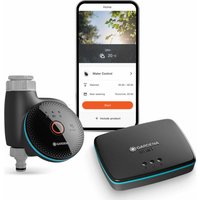

Smart app wifi Infrared ir remote control air conditioner home devices universal remote controller
Alibaba UK

Step 3: Prioritise Security Features
As you begin to explore smart home devices, it's vital to prioritise security features. Given that these devices often connect to your home network, ensuring they are secure from potential cyber threats is paramount. Look for products that offer encryption, two-factor authentication, and regular software updates. Additionally, read the fine print to ensure that the device's manufacturer adheres to strict privacy policies. Devices that have clear data protection measures will give you greater confidence in your smart home setup. Moreover, try to select devices from reputable brands that have established a track record in security to avoid known vulnerabilities.
Step 4: Read User Reviews and Expert Opinions
Once you've narrowed down your options, take the time to read user reviews and expert opinions. User feedback can provide invaluable insight into the device’s performance, ease of installation, and any potential drawbacks you might not have considered. Look for patterns in the reviews; consistent praise or complaints can guide your decision-making process. Additionally, consult reputable tech review sites or video reviews to gain insights into the user experience. These resources often conduct extensive testing, which can help you make a more informed decision. According to UFC-Que Choisir, detailed reviews can significantly influence consumer choices by highlighting the real-world functionality of products.
Step 5: Consider Future Expansion
When selecting smart home devices, think ahead about future expandability. Choose devices that allow for integration with additional products, as this will enable you to grow your smart home ecosystem. Many brands offer entire product lines that work together harmoniously, providing you with the flexibility to expand your system as your needs change. For example, if you start with smart lighting, you might later decide to automate your heating and cooling systems, so it's beneficial to choose a compatible system from the beginning. This long-term approach not only saves money in the long run but also offers convenience as you enhance your smart home experience.
Step 6: Set a Budget
Smart home devices can vary drastically in price. Therefore, establishing a sensible budget before shopping is essential. Determine what you're willing to invest in your smart home and prioritise the features that matter to you. Remember that more expensive models often come with enhanced security, better customer support, and additional features that justify their costs. However, there are also cost-effective options available that can still meet your needs without breaking the bank. Shopping sales, comparing prices, and looking for bundled offers can also help maximize your budget, allowing you to add multiple devices to your collection without overspending.

Lenovo V14 G4 ABP AMD Ryzen 5 7430U Laptop 14" 8GB RAM 512 GB SSD Windows 11 Home Laptop
box.co.uk
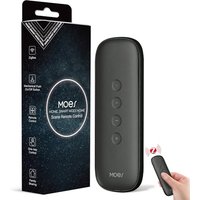
MOES Zigbee Smart Switch, 12 Scene Switches without Installation (MOES ZigBee Hub Required), One-Click Control for Tuya Devices, Zigbee Button Smart H
Amazon Sellers Programme (UK)

Comparison Table of Popular Smart Home Categories
| Category | Example A | Example B | Example C | Verdict |
|---|---|---|---|---|
| Security Cameras | 1080p, cloud storage | 4K, AI detection | Basic, USB storage | Best for monitoring |
| Smart Thermostats | Geofencing, learning | Basic controls | Wi-Fi only | Best for savings |
| Smart Lighting | RGB, app control | Motion sensing | Basic on/off | Best for ambience |
Glossary
| Terme | Définition |
|---|---|
| Smart Hub | Central device that manages various smart devices. |
| IoT (Internet of Things) | Network of devices that communicate over the internet. |
| Zigbee | Wireless protocol for connecting smart devices with low power usage. |
Checklist before Purchase
- [ ] Assess your smart home needs.
- [ ] Verify compatibility with existing smart systems.
- [ ] Review security features.
- [ ] Read user and expert reviews.
- [ ] Consider future expandability.
- [ ] Set a reasonable budget.
📺 Resource Video
> 📺 For further insights: How to choose the right smart home devices provides a visual overview of selecting appropriate technology for your home. Search YouTube for: how to select smart home devices 2026.
Conclusion
Choosing the right smart home devices for your needs is an essential step toward a more convenient and efficient lifestyle. By assessing your requirements, prioritising security, reading reviews, and considering future expansion, you can create a smart home environment tailored just for you. For an optimal experience, we have selected several products suitable for your smart home needs. Check out our recommendations below!
📺 Pour aller plus loin : how to choose smart home devices 2026 sur YouTube
Recommended products
Selected by our experts


MOES Scene Switch, ZigBee Wireless 12 Scene, Mechanical Push Button Battery Powered, Smart Home Automation Scenario Switch for Tuya Smart Devices, Req
Amazon Sellers Programme (UK)


MOES Scene Switch, ZigBee Wireless 12 Scene, Mechanical Push Button Battery Powered, Smart Home Automation Scenario Switch for Tuya Smart Devices, Req
Amazon Sellers Programme (UK)

StarTech.com USB4 to Ethernet Adapter, 10GbE, Multi-Gigabit, Thunderbolt Compatible, 10GBASE-T/5G/2.5G NIC, 10G Ethernet Adapter, 0.5m USB4 Cable,
Back to the Office