Contents (11 sections)
Smart home devices have revolutionised the way we interact with our living environments. They not only provide convenience but also enhance security, energy efficiency, and even entertainment. The market for these devices has expanded significantly, offering an overwhelming number of options for consumers. Understanding how to select the best smart home devices for your home can make all the difference in creating a hassle-free and enjoyable living space.
This guide will walk you through the necessary steps, from identifying your needs to comparing top options in the market. We aim to provide actionable insights that will help you make informed decisions.
Step 1: Assess Your Needs
Before diving into the latest gadgets, take a moment to evaluate your lifestyle and what you hope to achieve with smart home technology. Ask yourself:
- What problems am I trying to solve?
- Which areas of my home need improvement?
- What tasks can I automate?
For instance, if you often forget to turn off the lights, smart lighting systems may be your first stop. Alternatively, if you want to monitor your home while away, security cameras might meet your needs. Consider how each device can improve your daily life and prioritise them accordingly. This assessment ensures you invest in technology that truly enhances your lifestyle rather than just jumping on the latest trend.
Step 2: Research Available Options
With an idea of your needs, the next step is to research what’s available. Numerous brands and models exist, each with various features, compatibilities, and price points. Start by:
- Checking out reliable tech review websites and consumer reports.
- Visiting forums or social media groups focused on smart home technology.
- Reading user reviews to get real-world insights from current owners.
This phase is crucial as it alerts you to any limitations or issues that might not be apparent at first glance. According to UFC-Que Choisir, important criteria often include ease of use, reliability, and interoperability with existing systems. Failing to check these factors might result in a frustrating experience later.


Samsung Galaxy S26 16 cm (6.3") Dual SIM Android 16.0 5G USB Type-C 12 GB 256 GB 4300 mAh Blue
Back to the Office

Samsung Galaxy S26 16 cm (6.3") Dual SIM Android 16.0 5G USB Type-C 12 GB 512 GB 4300 mAh Blue
Back to the Office
Step 3: Smart Device Compatibility
When selecting devices, ensure that they are compatible with each other and with your current home network. Many smart home devices operate under specific platforms such as Google Assistant, Amazon Alexa, or Apple HomeKit. Confirm that:
- Your chosen devices integrate seamlessly with the platform you prefer.
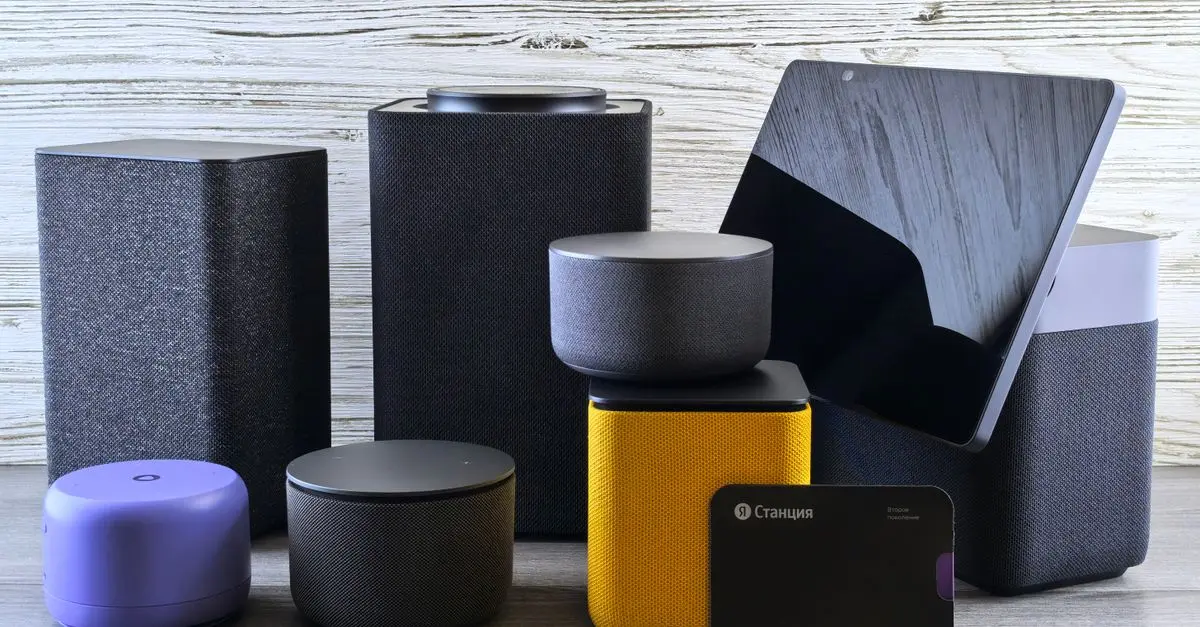
- They work with any existing devices you may already own, such as smart speakers or hubs.
By choosing devices that complement each other, you can create a cohesive and streamlined experience. This compatibility is often a point of annoyance for users, so it’s wise to double-check this before making any purchases.
Table: Compatibility Comparison
| Device Type | Google Assistant | Amazon Alexa | Apple HomeKit | Control Method |
|---|---|---|---|---|
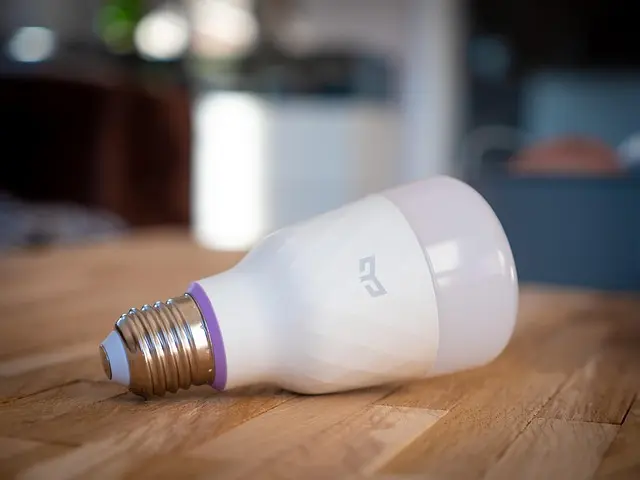
| Smart Light Bulbs | Yes | Yes | Yes | Smartphone, Voice |
| Smart Thermostats | Yes | Yes | Yes | Smartphone, Voice |
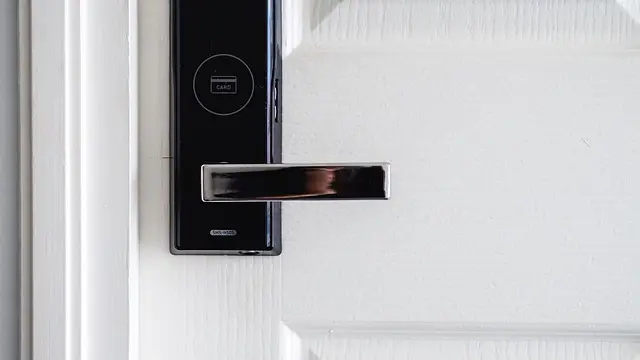
| Smart Locks | Yes | Yes | Limited | Smartphone, Keypad |
| Security Cameras | Yes | Yes | Yes | Smartphone, Voice |
This table exemplifies how various device types interact with different platforms, demonstrating the need to consider your existing technology when selecting new devices.
Step 4: Evaluate Installation Requirements
Different devices come with varying installation requirements. Some may need professional installation, while others can be set up by anyone with basic DIY skills. Understanding what’s involved can save you both time and money:
- Research installation processes: Look for how-to videos or installation guides.
- Consider professional help: If a device seems complex, hiring a professional might be worth the investment.
An installer can also help ensure that your devices are connected correctly to optimise performance. Furthermore, user testimonials often highlight common pitfalls when setting up smart systems, allowing you to avoid similar mistakes.
Step 5: Monitoring Your Budget
Smart home technology can vary vastly in price. Set a budget beforehand to guide your selections. While high-end devices often come with advanced features, many affordable options also perform well for basic needs. Here are tips for budgeting:
- Prioritise: List the devices by necessity versus luxuries.
- Compare prices: Use price comparison websites to find the best deals.
- Look for bundles: Sometimes, purchasing a group of devices can yield discounts.
Establishing your financial limit early opens the door for better decision-making and ensures you don’t overspend on shiny new tech items that may not be necessary.
Step 6: Test and Review
After establishing your smart home setup, take time to evaluate how well everything works together. Monitor your systems for the first few weeks to assess performance. This phase includes:
- Regularly evaluating device interactions and functionalities.
- Reading reviews or feedback from other users to ensure longevity and reliability.
- Upgrading software or firmware as needed to maintain performance.
Developing these habits can prevent potential issues down the line and allow you to adjust your system for optimal use.


Samsung Galaxy S26 16 cm (6.3") Dual SIM Android 16.0 5G USB Type-C 12 GB 256 GB 4300 mAh Black
Back to the Office

Samsung Galaxy S26 16 cm (6.3") Dual SIM Android 16.0 5G USB Type-C 12 GB 256 GB 4300 mAh Violet
Back to the Office
Glossary
| Term | Definition |
|---|---|
| Smart Home | A house that integrates technology to allow control over various devices remotely or automatically. |
| Interoperability | The ability of devices to work together seamlessly across different platforms or brands. |
| IoT (Internet of Things) | A network of physical objects embedded with sensors and connected to the internet for data exchange. |
Checklist before Purchase
- [ ] Assess my smart home needs
- [ ] Research available smart devices
- [ ] Check compatibility with existing products
- [ ] Review installation requirements
- [ ] Set a budget and compare prices
- [ ] Plan for testing and evaluating performance
📺 Pour aller plus loin : Learn how to integrate smart home devices, a detailed walkthrough on optimising your home with technology. Recherchez sur YouTube : "best smart home devices 2026".
Conclusion
Investing in smart home technology offers a pathway to a more convenient, efficient, and secure living environment. By following this step-by-step guide, you empower yourself to make informed choices that enhance your everyday life. Take the time to explore various options, and you will surely find devices that serve your lifestyle perfectly.
Don’t forget to check our recommended products for great smart home device options that suit your needs!
📺 Pour aller plus loin : best smart home devices 2026 sur YouTube
Recommended products
Selected by our experts

Samsung Galaxy S26 16 cm (6.3") Dual SIM Android 16.0 5G USB Type-C 12 GB 512 GB 4300 mAh Black
Back to the Office

Samsung Galaxy S26+ 17 cm (6.7") Dual SIM Android 16.0 5G USB Type-C 12 GB 256 GB 4900 mAh Blue
Back to the Office

Samsung Galaxy S26+ 17 cm (6.7") Dual SIM Android 16.0 5G USB Type-C 12 GB 256 GB 4900 mAh White
Back to the Office

Samsung Galaxy S26 Ultra 17.5 cm (6.9") Dual SIM Android 16.0 5G USB Type-C 12 GB 512 GB 5000 mAh Black
Back to the Office

Samsung Galaxy S26 Ultra 17.5 cm (6.9") Dual SIM Android 16.0 5G USB Type-C 12 GB 256 GB 5000 mAh Violet
Back to the Office

Samsung Galaxy S26 16 cm (6.3") Dual SIM Android 16.0 5G USB Type-C 12 GB 512 GB 4300 mAh White
Back to the Office